Customer journey automation is the practice of using integrated AI, CRM systems, and workflow automation to orchestrate personalized interactions across every touchpoint a customer has with your brand. Done right, it replaces disconnected, manual outreach with a single operating model that responds to real behavior in real time. Platforms like Braze, Upland Software, and Autonom8 have built entire product lines around this problem, each addressing a different layer of the challenge.
The core components of a mature automation system include:
- Unified customer data collected from every channel into one profile
- Behavioral triggers that fire messages or workflows based on what a customer actually does
- Cross-channel orchestration across email, SMS, in-app, voice, and chat
- Personalization at scale driven by AI segmentation and predictive scoring
- Compliance controls embedded directly into the workflow, not bolted on afterward
What separates effective automation from a patchwork of disconnected tools is context. When a customer switches from email to phone to chat, the system needs to carry their history with them. Without that continuity, every handoff feels like starting over.
Why customer journey automation is worth the investment
The business case for automating the customer lifecycle is straightforward: you get better outcomes with fewer manual hours. Integrated channels like email, SMS, and in-app messaging increase retention by maintaining consistent context across touchpoints. That consistency compounds over time into measurable loyalty.
The operational benefits are just as concrete:
- Efficiency gains: Most marketing leaders report that AI-powered automation shifts their teams from manual execution to strategic planning.
- Cost reduction: Automated workflows handle high-volume, predictable interactions without adding headcount.
- Faster resolution: Automated workflows absorb predictable demand first, freeing agents to focus on complex cases and improving resolution rates.
- 24/7 availability: AI-powered platforms deliver consistent, human-centered interactions around the clock without staffing constraints.
- Reduced inbound volume: Unified CRM and billing data can reduce inbound customer contacts through proactive, personalized outreach.
The efficiency shift is real. When automation handles the routine, your team stops being a call center and starts being a strategy function. That reallocation of human attention is where the compounding returns come from.
The retention math alone justifies the build. A 5% increase in retention can boost profits by up to 95%, and automation is one of the few levers that moves retention at scale without proportional cost increases.
Where automated customer experiences deliver the most value
Automation does not perform equally across every use case. The highest-impact applications share one trait: they involve predictable, high-volume interactions where speed and consistency matter more than human judgment.

Complaint resolution workflows are a strong starting point. When a customer reports an issue, an automated system can verify account context, pull relevant history, and route the case to the right team with full context attached. The customer does not repeat themselves. The agent does not start from scratch.
Personalized onboarding is where automation pays off fastest for SaaS and subscription businesses. A triggered sequence that responds to what a new user actually does (or does not do) in the first 14 days outperforms any static welcome email series. If a user skips a key feature, the system flags it and sends a targeted nudge.
Re-engagement campaigns for dormant customers work well when they are triggered by behavior signals rather than calendar dates. A customer who has not purchased in 90 days gets a different message than one who browsed last week but did not convert.
Self-service support is where regulated industries see the clearest ROI. Healthcare revenue cycle teams, financial services firms, and utilities all deal with high call volumes around billing and account status. Automated IVR and chat flows that handle these inquiries without live agents reduce cost per contact and free staff for escalations.
In regulated environments specifically, compliance must be an integrated workflow element, not a separate add-on. Every touchpoint needs to stay audit-ready by design.
How to map and implement your automation system
Getting this right requires a specific sequence. Skipping steps early creates technical debt that is expensive to unwind later.
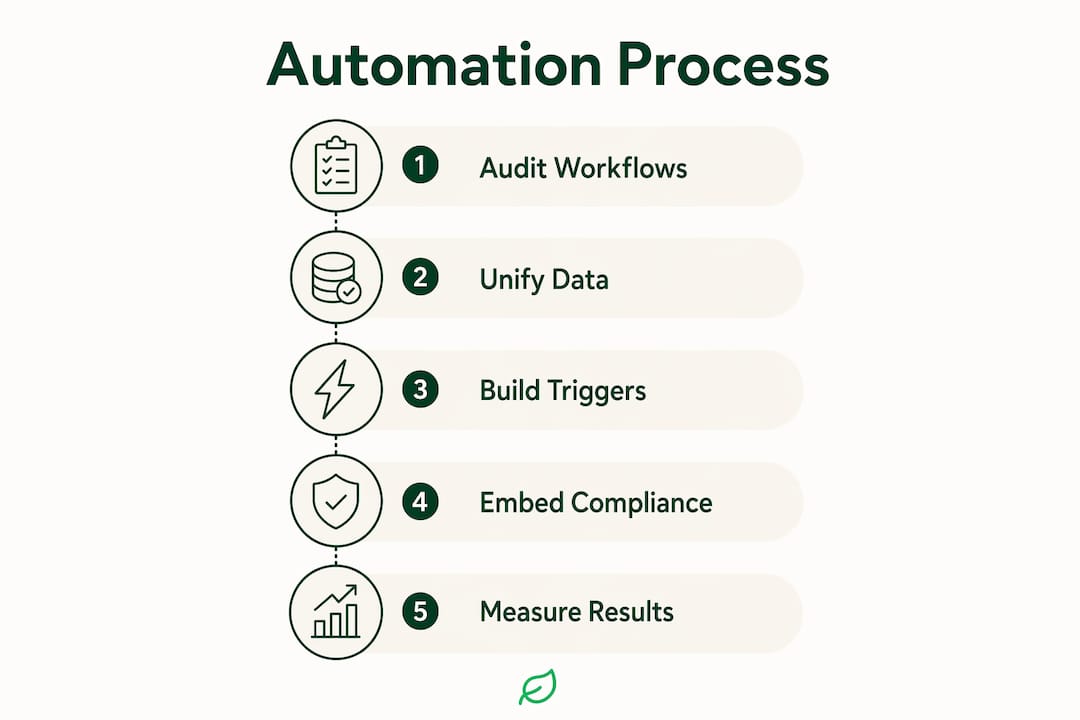
- Audit your current workflow. Map every contact path, payment step, handoff, and exception before writing a single automation rule. Identify where consent is stored, how payment data moves, and where agents leave your core system to finish routine tasks.
- Unify your data. Businesses must consolidate data into a single source of truth before automating. A modern CRM or Customer Data Platform (CDP) is the foundation. Without it, automation produces disjointed experiences.
- Define your trigger events. Map the specific behaviors or lifecycle stages that should fire an automated action: first purchase, cart abandonment, 30-day inactivity, support ticket opened, payment failed.
- Design the workflow logic. Build decision branches for each trigger. What happens if the customer responds? What if they do not? What escalation path kicks in for complex cases?
- Set narrow goals first. Focus on outcomes like self-service adoption, reduced repeat contacts, and clean escalations. Avoid trying to automate everything at once.
- Embed compliance controls. For regulated industries, TCPA consent logging, PCI-DSS payment handling, and HIPAA-sensitive routing need to live inside the workflow, not around it.
- Test before launch. Walk through the customer journey as if you were the customer. Note every friction point and gap before the system goes live.
- Measure and iterate. Track confirmed resolution rate, re-contact rate, customer satisfaction score, and escalation quality from day one.
Pro Tip: Start with one high-volume, low-complexity workflow, such as billing FAQ responses or appointment reminders. Ship it, measure it, then expand. Teams that try to automate the entire lifecycle at once almost always stall in the design phase.
| Implementation stage | Key action | Common pitfall |
|---|---|---|
| Workflow audit | Map all contact paths and exceptions | Skipping edge cases and escalation paths |
| Data unification | Build a single customer profile | Leaving data siloed across CRM and support tools |
| Trigger design | Define behavioral and lifecycle events | Using calendar-based triggers instead of behavior signals |
| Compliance integration | Embed TCPA, PCI-DSS, HIPAA controls | Treating compliance as a post-build review |
| Measurement | Track resolution rate and re-contact rate | Measuring deflection instead of actual resolution |
How automation makes your marketing team more effective
The clearest sign that automation is working is not the volume of messages sent. It is the quality of decisions your team makes with the time they get back.

A unified automation architecture reduces manual connectors, compliance gaps, and operational drag, improving both revenue cycle performance and customer experience simultaneously. When your CRM, marketing platform, and support tools share one data layer, your team stops reconciling spreadsheets and starts acting on real signals.
Pro Tip: Before adding a new automation channel, ask whether it writes to the same customer record as your existing channels. If it does not, you are adding complexity, not capability.
The efficiency gains show up in specific places:
| Marketing task | Manual approach | Automated approach |
|---|---|---|
| Lead nurturing | Weekly batch emails to full list | Behavioral triggers to active segments |
| Re-engagement | Monthly calendar-based campaign | 90-day inactivity trigger with personalized offer |
| Onboarding | Static 3-email welcome series | Dynamic sequence based on feature adoption |
| Support escalation | Agent manually reviews ticket history | System attaches full context before routing |
| Compliance review | Manual audit of outreach logs | Automated consent and suppression logging |
AI tools like Spark Concept’s AI product builder can help technology teams map and validate automation logic before committing to a full build. Getting the architecture right in the design phase is far cheaper than refactoring it in production.
The strategic payoff is resource reallocation. When automation handles the predictable, your marketing team can focus on the decisions that actually require human judgment: creative strategy, audience development, and campaign positioning.
Best practices from teams that have gotten this right
The teams that build durable automation systems share a few habits that separate them from the ones that rebuild their stack every 18 months.
Unify before you automate. Unifying customer data platforms is the prerequisite for relevant, consistent automation. Every personalization decision, every routing rule, and every compliance check depends on having one accurate record of who the customer is and what they have done.
Build for auditability from the start. A mature automation architecture maintains one record, one decision layer, one payment path, and one audit trail. This is not just a compliance requirement. It is what makes the system debuggable when something goes wrong.
Treat compliance as workflow, not wrapper. In regulated industries, compliance embedded in the workflow means every touchpoint is audit-ready by default. Bolting compliance review onto the end of a process is how violations happen.
Set escalation rules before you go live. Automation fails when complex cases hit a dead end. Define exactly which conditions should route to a human agent, and make sure that handoff carries full context.
Measure outcomes, not activity. The right KPIs for automated customer experiences are resolution rate, re-contact rate, self-service adoption, and customer satisfaction score. Message volume and open rate tell you what happened. Outcome metrics tell you whether it worked.
Cannatract applies this architecture directly. Every automation build starts with a workflow audit to identify the highest-cost manual process, then moves to a scoped design phase before any code is written. The result is a system that ships in 2–4 weeks with clear ownership, documented logic, and integration paths that do not require a full-time developer to maintain. For teams in regulated or high-growth industries, that combination of speed and auditability is what makes automation sustainable rather than fragile.
- Audit the workflow before designing the automation
- Unify data into one customer profile before triggering any personalization
- Embed compliance controls inside the workflow, not around it
- Define escalation paths before launch, not after the first failure
- Measure resolution and re-contact rate, not just message volume
- Use AI automation services to build systems with clear scope and documented logic
Cannatract builds automation systems that actually ship
Most marketing teams know what they want to automate. The gap is between the whiteboard and a working system in production.
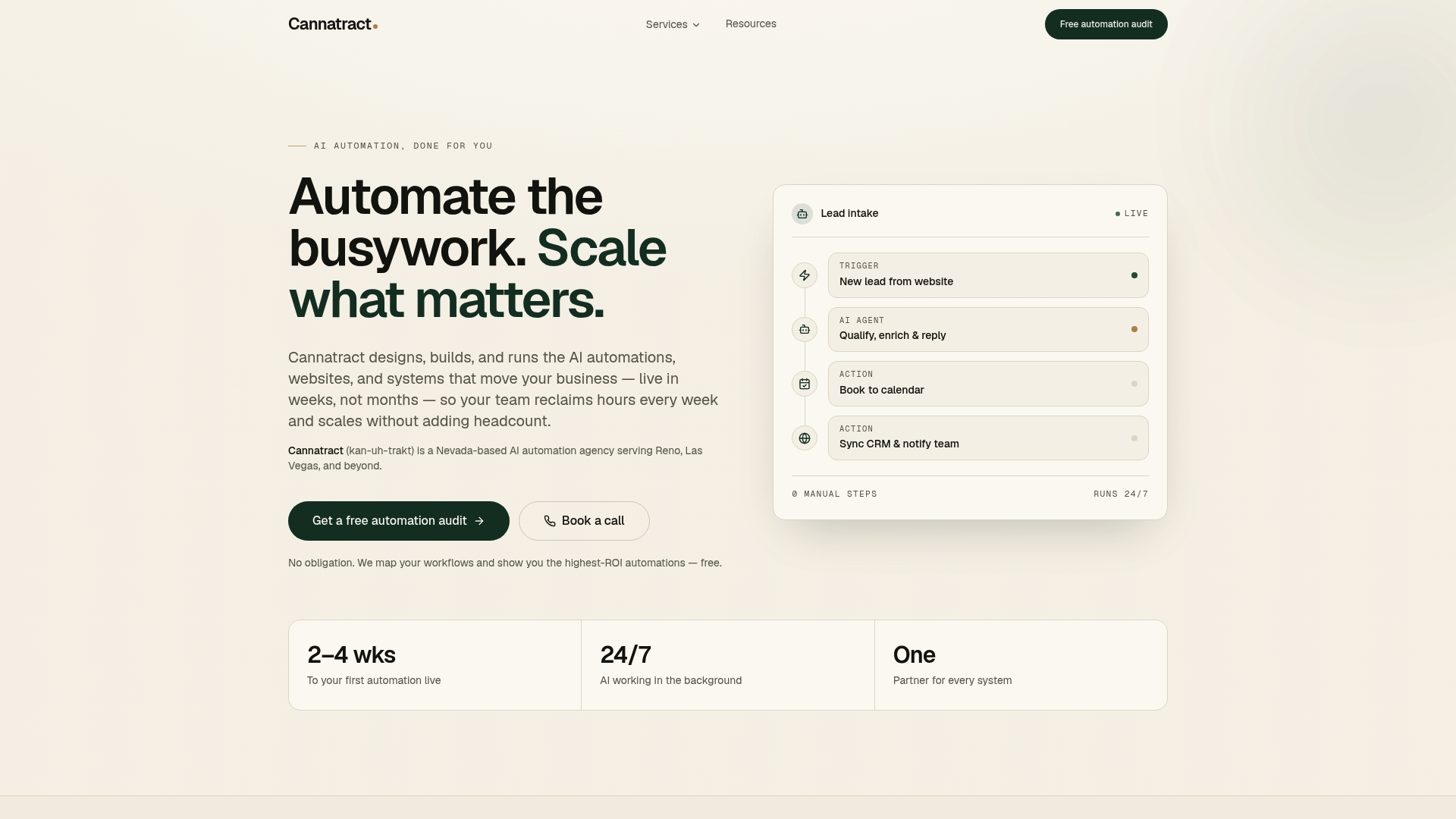
Cannatract is a Nevada-based AI agency that designs, builds, and runs custom automation systems for businesses in regulated and high-growth industries. The difference from a traditional agency is the model: you get a fixed quote up front, a working system in 2–4 weeks, and full ownership of what gets built. No vague retainers, no scope creep, no black-box logic you cannot audit. Every engagement starts with a free automation audit that identifies the workflow costing your team the most time, then scopes a build around that specific problem. If you are ready to move from planning to production, book your free audit at cannatract.co.
FAQ
What is customer journey automation?
Customer journey automation uses integrated AI, CRM, and workflow tools to orchestrate personalized interactions across every customer touchpoint automatically. It replaces manual outreach with behavior-triggered, context-aware communication that scales across the full customer lifecycle.
What technologies power customer journey automation?
The core stack includes a Customer Data Platform (CDP) or modern CRM for data unification, a marketing automation platform for campaign orchestration, AI engines for segmentation and personalization, and omnichannel delivery tools for email, SMS, voice, and chat.
How do you measure whether automation is working?
Track confirmed resolution rate, re-contact rate, self-service adoption, and customer satisfaction score. Message volume and open rate show activity; outcome metrics show whether the automation actually solved the customer’s problem.
How does Cannatract approach customer journey automation builds?
Cannatract starts every engagement with a workflow audit to identify the highest-cost manual process, then delivers a scoped, fixed-price build in 2–4 weeks with full client ownership and documented logic.
What are the biggest pitfalls in implementing automation?
The most common failures are automating before data is unified, treating compliance as a post-build review, and setting goals around message volume instead of resolution outcomes. Starting with one narrow, high-volume workflow and measuring actual resolution rate avoids most of these traps.
Key Takeaways
Customer journey automation delivers durable results only when data is unified, compliance is embedded in the workflow, and success is measured by resolution outcomes rather than message volume.
| Point | Details |
|---|---|
| Unify data first | Build a single customer profile before triggering any automation or personalization. |
| Embed compliance by design | In regulated industries, TCPA, PCI-DSS, and HIPAA controls must live inside the workflow, not around it. |
| Measure resolution, not volume | Track confirmed resolution rate and re-contact rate to know whether automation is actually working. |
| Start narrow, then expand | Automate one high-volume, low-complexity workflow first, measure it, then scale the model. |
| Cannatract for fast, scoped builds | Cannatract delivers fixed-price automation systems in a matter of weeks, starting with a free workflow audit. |